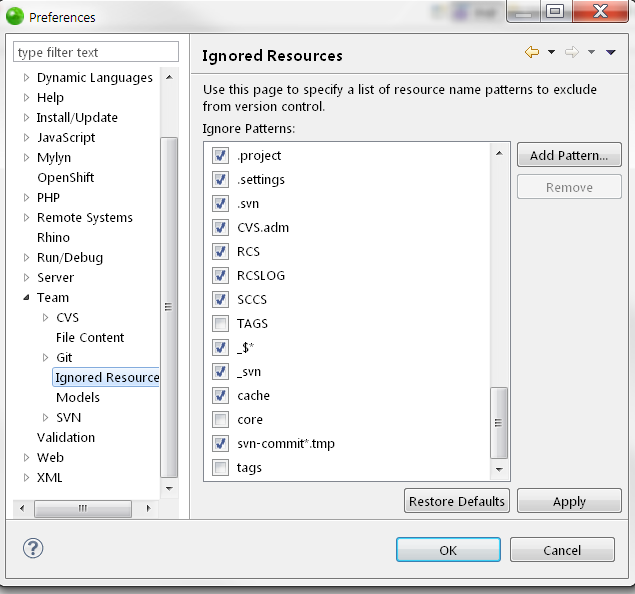
In order to globally manage the "Ignored Resources" patterns in Zend Studio, for all projects , instead of manually add to each project, you can do the following:
1. Go to Window-> Preferences
2. Team -> Ignored Resources
3. using Add Pattern, you can add each ignored pattern , one by one . Or you can remove some of allready existing patterns.
This is specially useful when you have both Git and SVN projects in your workspace , also when you tend to be less careful about your code and workspace :-)
Also, on each project, you can use either global ignored patterns, or use specific ones.